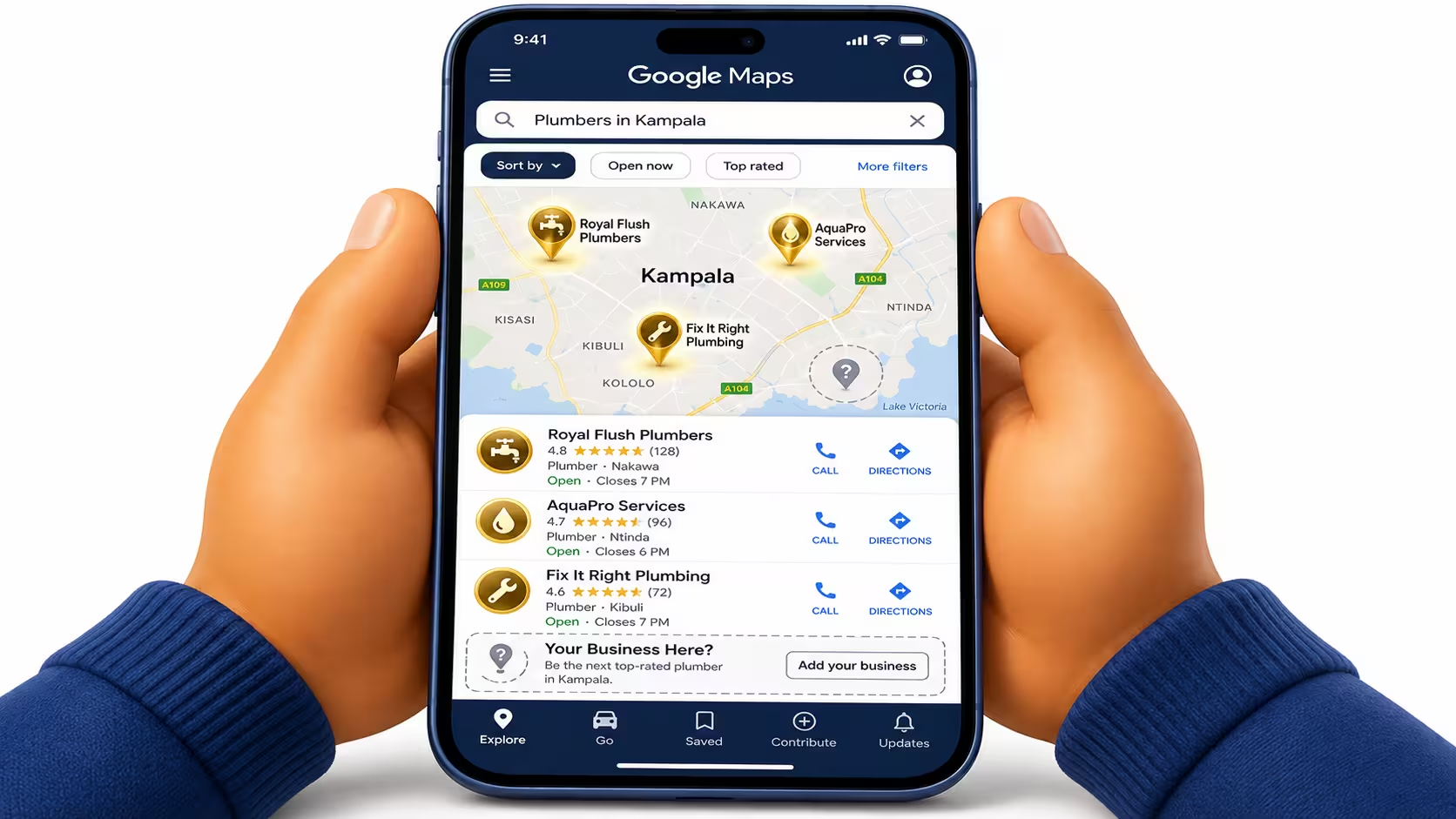
Somebody in Kampala just searched for what you sell.
A competitor’s listing came up on the map. Then their website came up below it. Your business showed up in neither place.
That customer called the competitor. Not because they’re better. Because Google could find them and couldn’t find you.
This happens hundreds of times a day, to good businesses with real products and real expertise, simply because nobody ever set them up properly on Google.
This guide fixes that. It covers two separate things you need, both explained in plain language, no jargon.
The first is free and takes about 24 hours: your Google Business Profile, the listing that puts you on Google Maps and in “near me” searches. The second takes longer and isn’t free: getting your actual website to rank in the search results underneath the map.
Most Uganda businesses only ever do one of these, if either. Do both properly and you stop losing customers to competitors who simply showed up first.
Why Google Is the #1 Source of Customers for Uganda Businesses
Getting your business on Google in Uganda means two things, done together: claiming a free Google Business Profile so you appear on Maps and in “near me” searches, and setting up your website so it ranks in the search results underneath the map. Most businesses only ever do one.
Nearly half of all Google searches are looking for something nearby right now. That’s not a Western statistic that doesn’t apply here. Kampala’s internet use is overwhelmingly mobile, and mobile search is overwhelmingly local: “clinic near me,” “hardware shop Ntinda,” “solar installer Kampala.”
Google itself has found that 76% of people who search for something nearby on their phone visit a business within a day. (Source: Google) That’s not a browsing statistic. That’s a buying statistic. Someone searches, someone shows up at your door, often the same day.
Picture a hardware shop in Ntinda that’s been busy for fifteen years because everyone nearby already knows where it is. Then a new hardware shop opens two streets over, run by someone who spent one afternoon setting up their Google Business Profile properly: category, photos, hours, a handful of reviews.
Search “hardware shop Ntinda” on a phone today. The new shop appears on the map with photos and a 4.6-star rating. The older shop doesn’t appear at all, not because it’s worse, but because Google has nothing to show for it.
Nobody stole those customers. They were never fought for. That’s the real cost of skipping this step: not losing customers you had, but never being considered by the ones you never even see.
The Shift From "Ask Around" to "Google It"
A few years ago, a new customer in Kampala found you through a friend’s recommendation or a signpost on the road. Increasingly, they find you by typing what they need into a phone and picking from whatever Google shows them.
If Google shows a competitor and not you, you were never in the running. The customer never knew you existed. That’s the entire problem this guide solves, and the fix starts with something free.
Track 1: Google Business Profile (Free, Takes 24 Hours)
Google Business Profile (GBP) is a free listing that controls how your business appears on Google Maps and in the map pack that shows up above regular search results. It costs nothing. Most businesses can be live within a day.
Unlike a paid directory listing, GBP data feeds directly into Google’s own Maps and search results, which is why it matters more than any other single free listing you could create. Here’s the step-by-step setup, written for Uganda specifically.
Step 1: Create or Claim Your Listing
Go to business.google.com and sign in with a Google account, ideally one the business owns long-term, not a personal account that might change hands. Search for your business name first. If a listing already exists, unclaimed or created by a past customer, claim it instead of creating a duplicate. Duplicate listings split your reviews and confuse Google about which one is real.
Step 2: Fill In Every Field Uganda Customers Need
Use your real, exact business name, no keywords stuffed in (“Best Solar Kampala Ltd” instead of your actual registered name gets listings suspended). Pick the most specific category available, not the closest generic one; “Solar Energy Company” beats “Electrician” if that’s genuinely what you do.
For your address, use the format Google Maps recognises for your area of Kampala, and drop the map pin manually if the auto-placed one is wrong, which happens often here. Enter your phone number in the +256 format. Add your real opening hours, including public holidays if they differ. Link your actual website, or your Elite Webmasters landing page if you don’t have one yet.
Write the business description field like you’re explaining the business to a stranger, in plain language, with your main service mentioned naturally once or twice, not stuffed in. Google allows up to 750 characters here; use most of it.
Set your service areas if you travel to customers rather than operate from a fixed storefront, an electrician covering Kampala and Wakiso, for example. Leaving this blank means Google only considers your exact pin location, not the neighbourhoods you actually serve.
Step 3: Add Photos
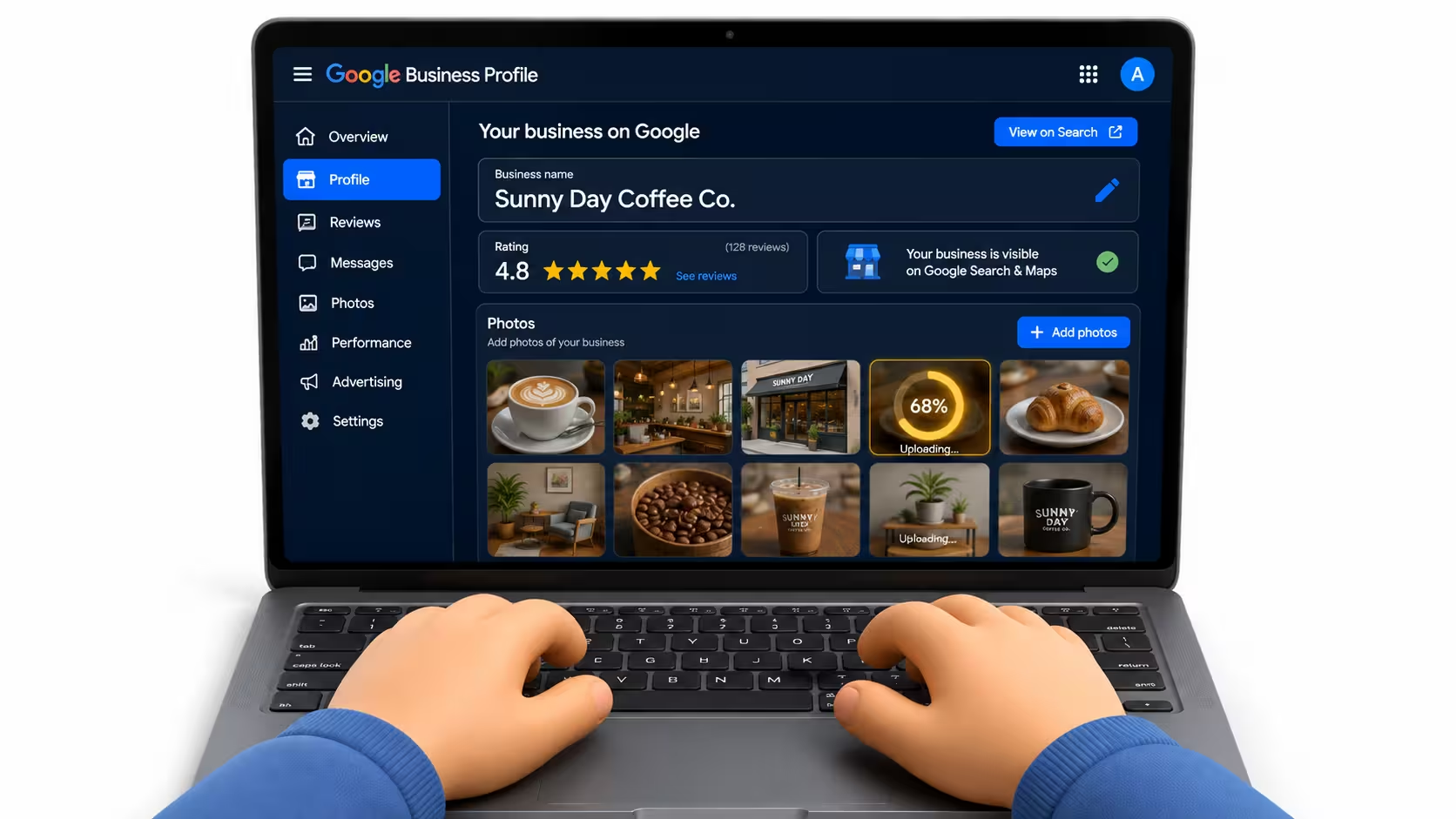
Add at least 10 photos: your storefront or premises from outside, the inside, your team, and your products or work in progress. Listings with photos get 35% more clicks through to the website than listings without them. (Source: Google, 2023)
This is the single fastest, easiest win in this entire guide. It costs nothing but ten minutes with a phone camera, and most competitors still haven’t done it.
Step 4: Verify Your Listing
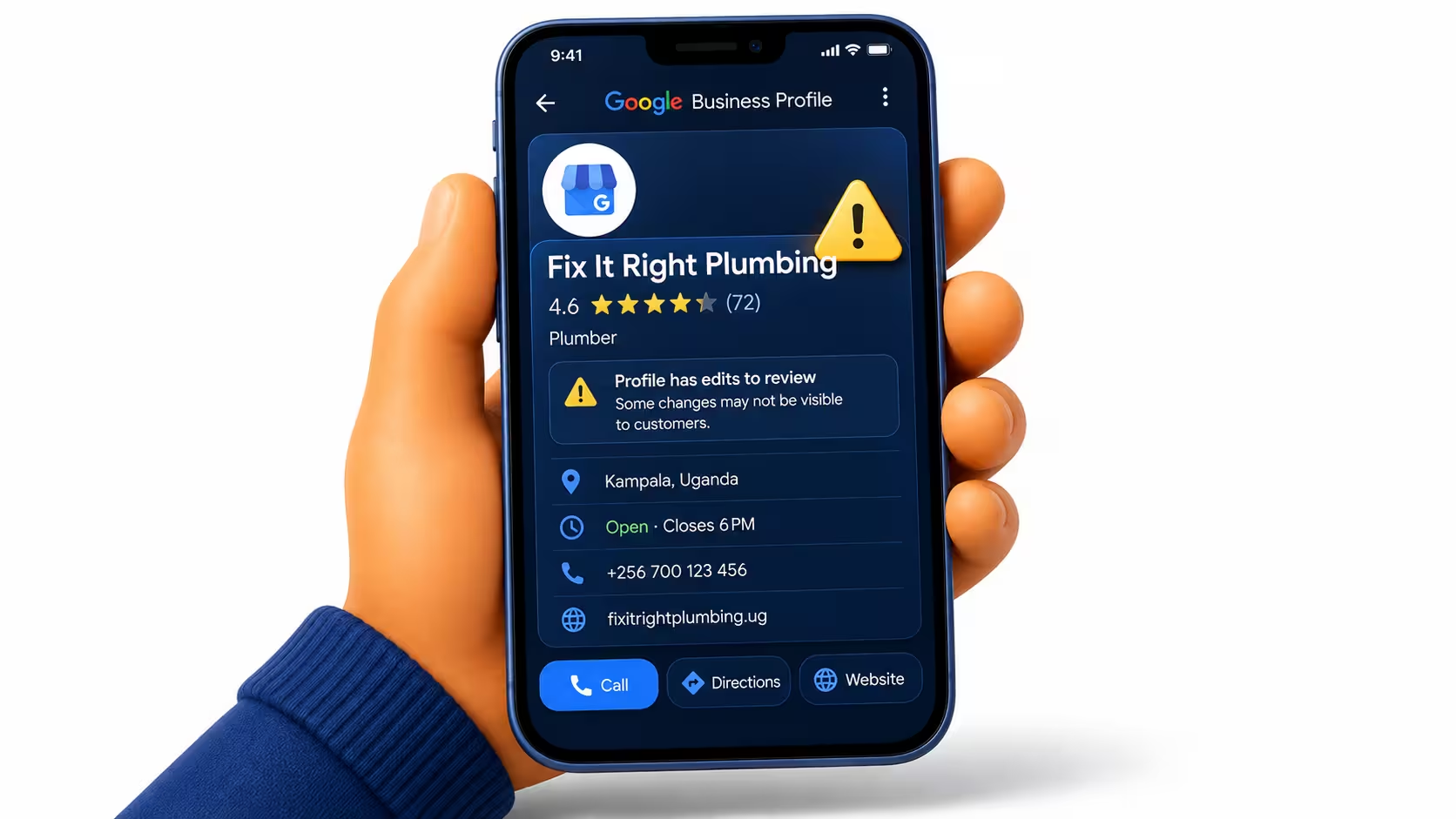
Google will offer a verification method: usually a postcard to your business address, sometimes a phone call or video verification for eligible businesses. Postcards to Uganda addresses can take longer than the two to five days Google quotes elsewhere, so start this step early and don’t assume it’s failed after a week.
An unverified listing is a real liability, not just an inconvenience. Until it’s verified, competitors can suggest edits to your name, address, or hours, and those edits can go live without your approval. Verification is what makes the listing actually yours.
Step 5: Turn On Messaging and List Your Services
Enable messaging so a customer can contact you directly from the listing without dialling a number, useful for anyone who screens calls or prefers texting first. Respond quickly; Google shows your typical response time publicly, and a slow one quietly discourages the next enquiry.
Add every individual service or product as its own entry rather than one vague line. “Solar panel installation,” “battery backup systems,” and “solar water heating” as three separate listed services give Google three separate things to match against three separate searches, instead of one generic line matching almost nothing precisely.
The GBP Mistakes Uganda Businesses Make (and How to Avoid Them)
A live listing isn’t the same as a working one. These are the mistakes that quietly cost Uganda businesses customers, even after setup is technically done.
- Wrong category. A general category (“Store”) instead of a specific one (“Electronics Repair Shop”) means Google shows you for fewer, vaguer searches. Check your category against what your actual customers type.
- No photos, or outdated ones. A blank or years-old listing signals a business that might be closed. That’s 35% fewer clicks left on the table, for free.
- Ignoring reviews. An unanswered bad review sits there permanently, visible to every future customer. A short, professional reply, even to a fair complaint, shows the business is active and cares.
- NAP inconsistency. Your Name, Address, and Phone number need to match exactly across GBP, your website, and any directory you’re listed in. A phone number that’s different on Facebook than on GBP quietly confuses Google about which one is correct.
- Leaving it unverified. Covered above, but worth repeating: an unverified listing can be edited by anyone. This is the mistake with the highest real cost.
- Never posting updates. A listing untouched for a year signals inactivity to Google, even if the business is thriving. A short update or offer posted monthly costs five minutes and keeps the listing looking alive.
- No services or products listed. An empty services section gives Google less to match against specific searches. List everything you offer individually, not as one general line.
Track 2: Getting Your Website to Rank on Google Search
A Google Business Profile gets you into Maps and the map pack. It does not get you into the regular search results underneath, the ones that show up for searches with no obvious “near me” intent, like “how much does a solar system cost” or “best clinic for [condition] Kampala.”
For those, Google needs to crawl and rank your actual website. That’s organic SEO, and it’s a different, slower system than GBP. It’s also different from paid ads, which stop delivering the moment you stop paying. Organic rankings, once earned, keep bringing customers with no ongoing cost per visitor.
A slow-loading site on a weak connection in a town like Mbarara, or a homepage with no sitemap Google can find, quietly caps rankings no matter how good the content is. Technical health is invisible to visitors but decisive to Google.
A backlink from a well-known Ugandan news site or an established local directory carries real trust with Google. Ten links bought from an anonymous link farm carry the opposite: they can flag the whole site for review. Authority isn’t about the volume of links, it’s about who’s vouching for you.
Get all three right and rankings tend to follow. If your website is already live and still not showing up, our deep dive on why most Uganda websites don’t rank on Google walks through the fix for each of these three areas in detail. Or see our SEO Services page if you’d rather we just handle it.
The Fastest Way to Rank for Your Service in Uganda
Don’t start by chasing the biggest keyword. “Solar panels Uganda” is contested by every solar company in the country, some with years of head start. You’ll spend months and still lose.
Go long-tail and local instead. “Solar panel installation Ntinda” has a fraction of the competition and a searcher who’s much closer to actually buying, because they’ve already added their neighbourhood to the search. Win the specific term first. Broader rankings tend to follow once Google trusts the site.
The same logic works outside solar. A clinic chasing “hospital Uganda” is fighting national referral hospitals with decades of authority. The same clinic ranking for “dental clinic Kololo” competes against a handful of realistic rivals, for a searcher who’s often in discomfort and ready to book today.
A Free Way to Find These Keywords
Type your service into Google’s search bar and stop before hitting enter. The autocomplete suggestions are real searches other people have typed, ranked roughly by how often. Add your neighbourhood or “near me” and watch the suggestions change. This costs nothing and takes five minutes, and it’s a genuinely reliable starting list for a first content plan.
How Long Before You Show Up on Google in Uganda?
Honest timelines, not marketing timelines:
- Google Business Profile listing: live in 24 to 72 hours, pending verification.
- Maps pack ranking: meaningful movement in 2 to 4 weeks with the fundamentals right (complete profile, photos, first reviews).
- Organic search ranking, existing site: 4 to 8 weeks for on-page fixes to show, 3 to 6 months for competitive terms.
- Organic search ranking, brand-new domain: 6 to 12 months to build the authority needed to compete at all.
Verification delays affect the whole timeline more than most business owners expect. A listing stuck waiting on a postcard for three weeks is a listing that hasn’t started earning Maps visibility yet, so submit the verification request the same day you finish filling in the profile, not after everything else on this page is done.
These ranges move for two reasons: how competitive your specific keywords are, and how much technical or content work your site needs before Google trusts it. A tidy, fast site with light local competition moves toward the short end. A neglected site in a crowded category moves toward the long end, sometimes past it.
Easy Power Company, a solar and electrical contractor here in Uganda, went from around 500 weekly Google visitors to over 1,200 in 30 days once both tracks were done properly together. (Read the full case study) Treat that as a strong best case, not a guaranteed timeline for every business.

When to Do It Yourself vs Hire an SEO Agency
DIY makes sense if: you have a few hours a week to give it consistently, your market is hyperlocal with light competition, and you’re comfortable learning as you go. Everything in Track 1 of this guide is realistic to do yourself.
Hiring makes sense if: you’re in a competitive category where every competitor already has a head start, you’ve tried before and nothing moved, or you’d rather spend your time running the business than learning SEO. See our full SEO pricing breakdown for what that actually costs in Uganda, from a one-time audit to a monthly retainer.
Three honest questions settle it faster than any pros-and-cons list:
- Can you commit real time to this every week for the next three months, not just this one?
- Are your main competitors already ranking, meaning you’re behind, not starting even?
- If this took six months longer than expected, would that genuinely cost the business money?
Two or more “yes” answers usually means hiring pays for itself faster than DIY does.
Next Steps
Nothing on this list needs a developer, an agency, or a budget to start. Five things, in order:
- Create or claim your Google Business Profile at business.google.com
- Add at least 10 real photos
- Ask 5 recent customers for a review
- Add your business to the top Uganda directories covered in our local SEO guide
- Get a free audit to see exactly where your website stands right now
The first four are free and doable this week. The fifth tells you, specifically, what’s stopping your website from ranking, not a generic checklist, an actual list for your site.
Do all five and most businesses see their first new enquiry from Google within a month, sometimes from the Maps listing alone. It’s the cheapest, fastest return available in this entire guide, and it’s already sitting there, unclaimed, right now.
Want to Know Exactly Where Your Website Stands?
We’ll check your Google Business Profile, your website, and how you compare to competitors already ranking in Uganda. Then we hand you a specific, prioritised list of what to fix.
No obligation. No sales pressure.
Uganda SEO FAQ
How much does SEO cost in Uganda?
How long does SEO take to work?
Is SEO better than paid ads for a Uganda business?
Do I need a website if I already have a Google Business Profile?
What's the difference between local SEO and regular SEO?
Can a small business compete with bigger, established competitors on Google?
How often does Google change its algorithm, and does that affect my rankings?
Do I need to publish new content every week?
Is SEO different for e-commerce vs service businesses in Uganda?
What tools do you use for SEO?
Can I rank without any backlinks?
What happens if I stop paying for SEO?
Do social media posts help my Google rankings?
How do I know if my current SEO is actually working?
I already tried SEO and it didn't work. Why would this be different?
Where to Go Next
Want to Know Exactly Where Your Website Stands?
We’ll check your Google Business Profile, your website, and how you compare to competitors already ranking in Uganda. Then we hand you a specific, prioritised list of what to fix.
No obligation. No sales pressure.
Francis Baguma is the founder and senior SEO strategist at Elite Webmasters. He has 7+ years of SEO experience and works directly with every client, no account managers, no junior staff. Learn more about how we work →